 ChatGPT
  Claude
  Geminiを開く
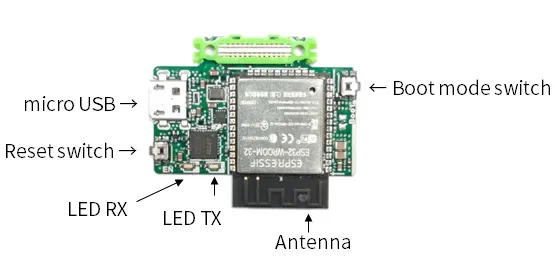
 ESP32 MCUリーフに搭載されたBoot mode スイッチの状態をシリアルモニタに表示させます。
使用するリーフ
Section titled “使用するリーフ”以下のリーフを使用します
| Type | Name | Q’ty |
|---|---|---|
| AP02 | ESP32 MCU | 1 |
ソースコード
Section titled “ソースコード”Arduino IDEで下記のプログラムを書きましょう。
//=====================================================================//  Button////    (c) 2021 LEAFONY SYSTEMS Co., Ltd//    Released under the MIT license//    https://opensource.org/licenses/MIT////      Rev.00 2021/04/01  First release//=====================================================================
int pushButton = 0;
void setup() {  Serial.begin(115200);  pinMode(pushButton, INPUT);}
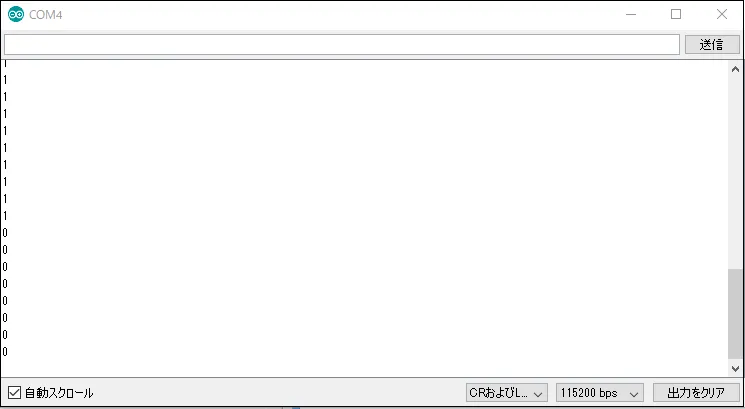
void loop() { int buttonState = digitalRead(pushButton); Serial.println(buttonState); delay(1000);}Boot mode スイッチを押すと、シリアルモニタの表示が、1から0に変わります。