Button (ESP32)
Explore with your favorite AI
 ChatGPT
  Claude
 Gemini & other AI
Copy this page’s context into your AI to explore how it works and what you can build.
 Open Gemini
 Copy the prompt, then paste it into Gemini’s message box.
View prompt
Overview
Section titled “Overview”Displays the status of the boot mode switch on the ESP32 MCU leaf on the serial monitor.
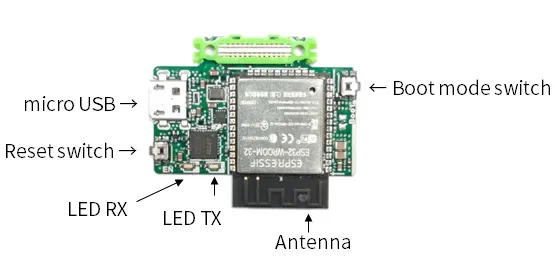
Leaf to use
Section titled “Leaf to use”Use the following leaf.
| Type | Name | Q’ty |
|---|---|---|
| AP02 | ESP32 MCU | 1 |
Source code
Section titled “Source code”Write the following program in the Arduino IDE.
//=====================================================================//  Button////    (c) 2020 Trillion-Node Study Group//    Released under the MIT license//    https://opensource.org/licenses/MIT////      Rev.00 2020/07/02  First release//=====================================================================
int pushButton = 0;
void setup() {  Serial.begin(115200);  pinMode(pushButton, INPUT);}
void loop() { int buttonState = digitalRead(pushButton); Serial.println(buttonState); delay(1000);}Execution Results
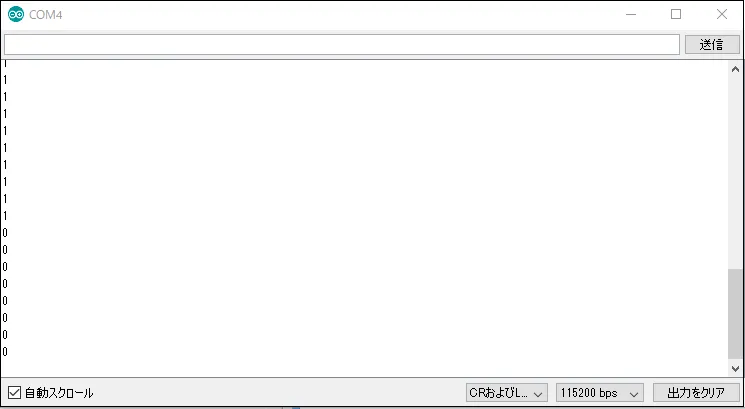
Section titled “Execution Results”When you press the Boot mode switch, the display on the serial monitor will change from 1 to 0.