 ChatGPT
  Claude
  Geminiを開く
 4-Sensorsリーフに搭載された照度センサの値を読み取って、シリアルモニタに表示するサンプルです。
使用するリーフ
Section titled “使用するリーフ”以下のリーフを使用します
| Type | Name | Q’ty |
|---|---|---|
| AZ62 | Connector Cover | 2 |
| AI01 | 4-Sensors | 1 |
| AX07 | Back to back | 1 |
| AP02 | ESP32 MCU | 1 |
| AV04 | 2V~4.5V | 1 |
| AZ63 | Nut Plate | 2 |
| AAA battery holder | 1 | |
| AAA battery | 3 | |
| M2*8mm screw | 2 | |
| M2*12mm screw | 2 | |
| φ10x2mm magnet | 1 |
リーフの組み立て
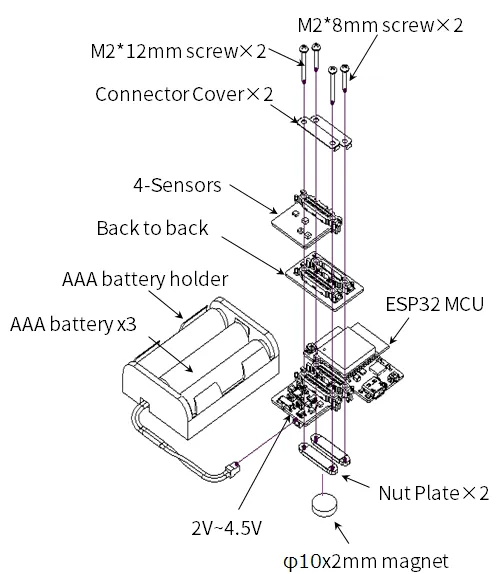
Section titled “リーフの組み立て”下図を参考にリーフを組み立ててみましょう。
ソースコード
Section titled “ソースコード”Arduino IDEで下記のプログラムを書きましょう。
このスケッチを動かすためには、ライブラリのインストールが必要です。 まだインストールしていない場合は開発環境設定ページを参考にライブラリをインストールしてください。
//=====================================================================//  Illuminance meter////    (c) 2021 LEAFONY SYSTEMS Co., Ltd//    Released under the MIT license//    https://opensource.org/licenses/MIT////      Rev.00 2021/04/01  First release//=====================================================================#include <Wire.h>#include <ClosedCube_OPT3001.h>
#define OPT3001_ADDRESS 0x45      // ADDR pin = VCC
ClosedCube_OPT3001 illum;
float dataIllum;
void setup() {  // initialize serial communication at 115200 second per second:  Serial.begin(115200);  // initialize i2c communication with OPT3001:  Wire.begin();
  delay(10);
  OPT3001_Config illumConfig;  OPT3001_ErrorCode illumErrorConfig;
  illum.begin(OPT3001_ADDRESS);
  illumConfig.RangeNumber = B1100;               // automatic full scale  illumConfig.ConvertionTime = B1;               // convertion time = 800ms  illumConfig.ModeOfConversionOperation = B11;   // continous conversion  illumConfig.Latch = B0;                        // hysteresis-style
  illumErrorConfig = illum.writeConfig(illumConfig);
  if(illumErrorConfig != NO_ERROR){    illumErrorConfig = illum.writeConfig(illumConfig);   //retry  }}
void loop() {    OPT3001 result = illum.readResult();
    if(result.error == NO_ERROR){      dataIllum = result.lux;    }
    Serial.println("Lum[lx] = " + String(dataIllum));
    delay(1000);
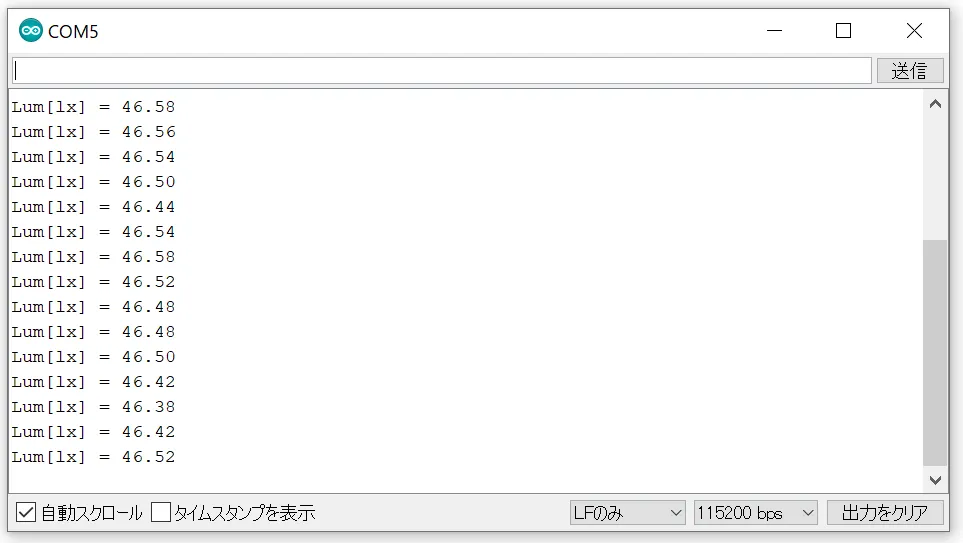
}Arduino IDEのシリアルモニタを開き、ボーレートを115200bpsとすると、照度が表示されます。