
AC05 LTE-M King S(生産終了)
Use this page with AI
Explore with your favorite AI
 ChatGPT
  Claude
 Gemini & other AI
Copy this page’s context into your AI to explore how it works and what you can build.
 Open Gemini
 Copy the prompt, then paste it into Gemini’s message box.
View prompt
Table of contents
本リーフは、AC08 LTE-M Maryのリリースに伴い生産終了しました。
AC05はAC04 LTE-M King M用の電源・USB-UART変換リーフです。AC04とAC05を使う旧構成から移行する場合は、通信リーフAC08と電源リーフAV06 1.8V~5.5Vを組み合わせた構成をご確認ください。USB経由でMCUへ書き込む場合は、USBリーフも別途用意します。
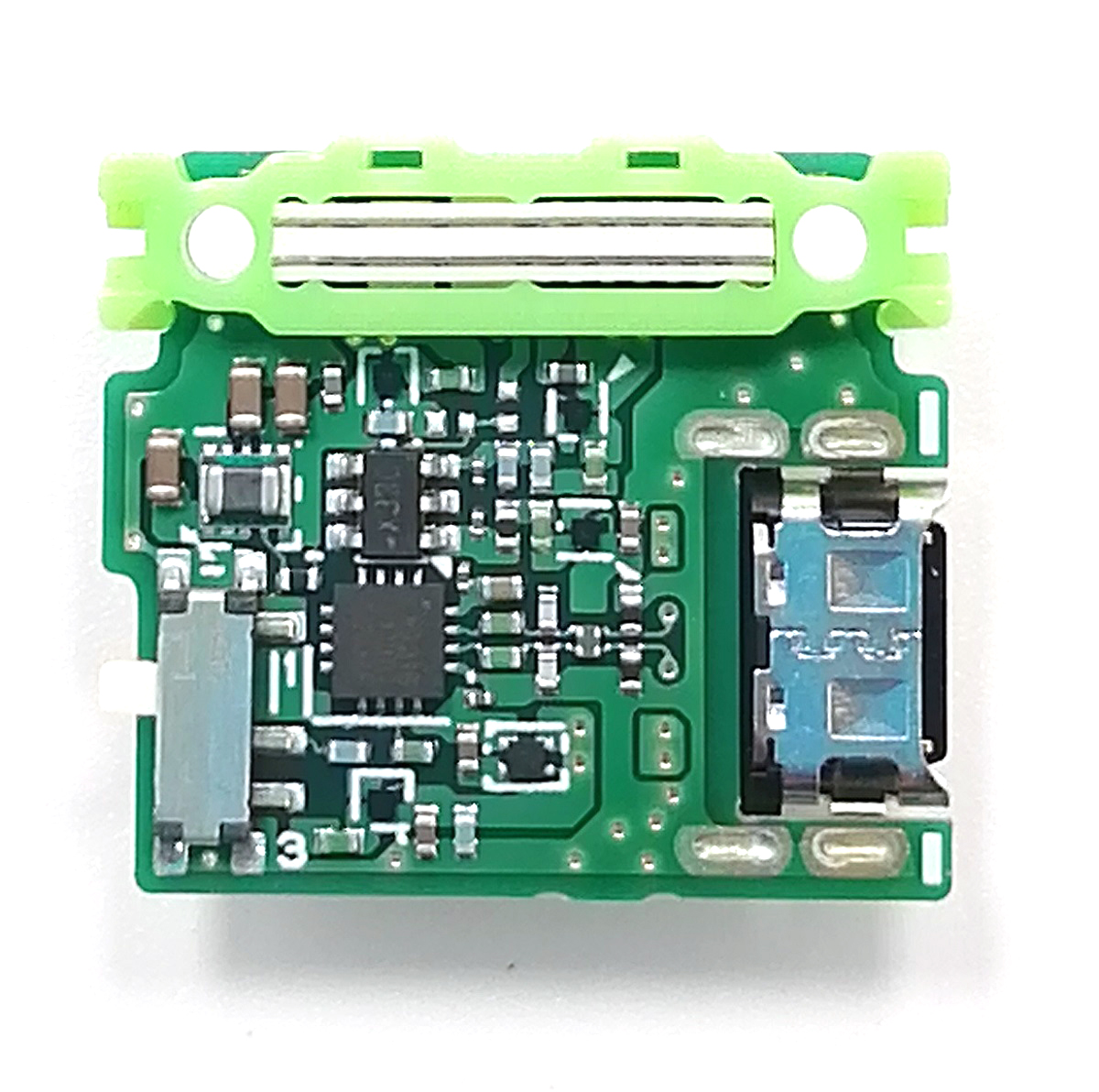
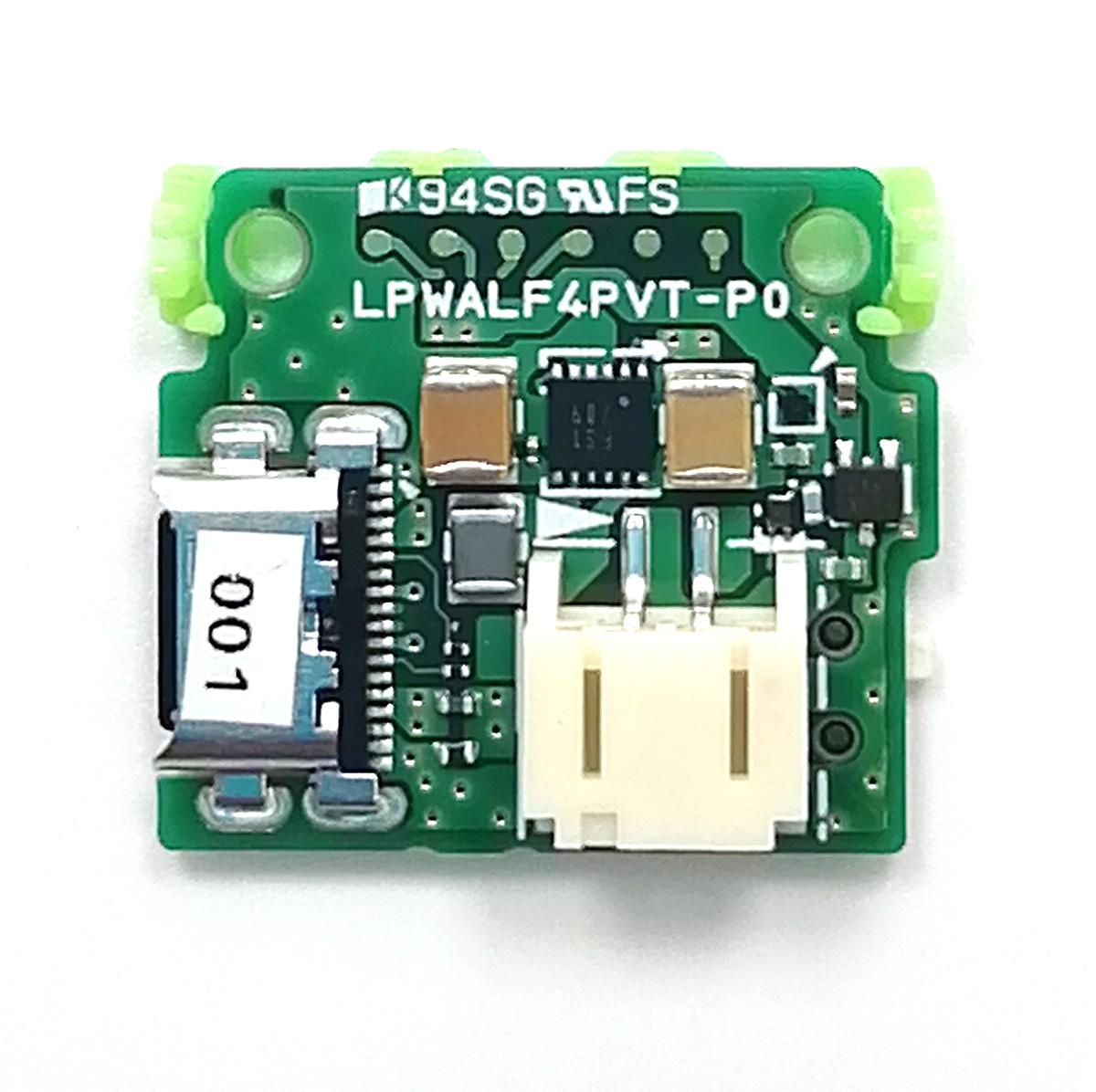
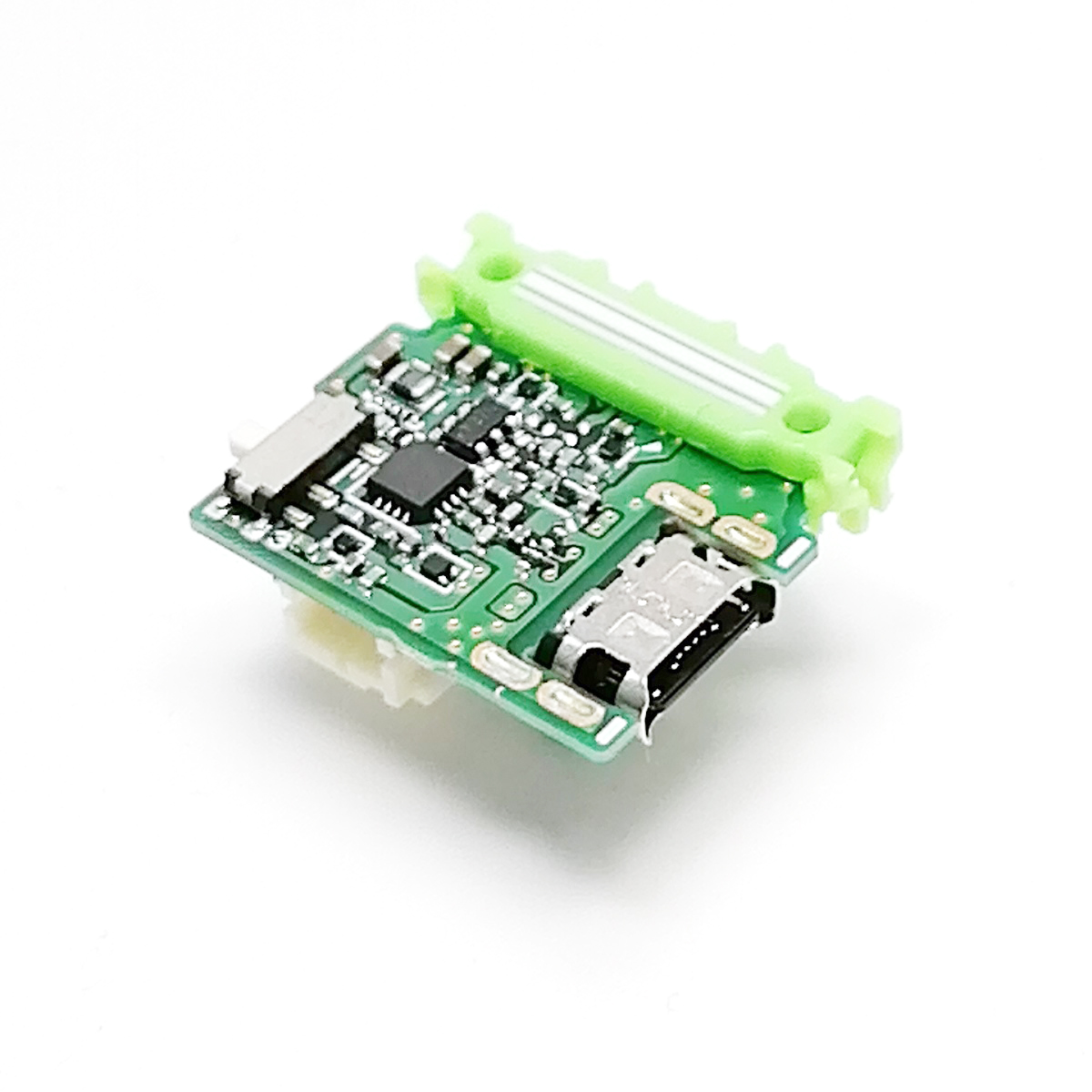
- LTE-M King Sは、LTE-M King M用の電源リーフなので、必ずLTE-M King Mの下に配置してください。
- 電池はニッケル⽔素電池電池3本か、3.7Vのリチウムイオン電池を想定しています。
- LTE-M King Sに貼られているテープは、絶縁防止ためなので外さないでください。
特徴
LTE-M King Mと組み合わせて、電池やUSBから各リーフへ電源を供給できます。USB経由でのMCU(プログラムを動かすマイコン)リーフへのプログラム書き込みや、電池電圧の読み取りにも使えます。
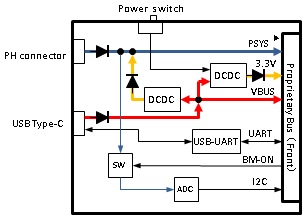
JST製PHコネクタからの電池電圧やUSBのVBUS電圧を3.3Vに変換する電源回路、USB-UART変換回路、電池電圧を測るADコンバータを搭載しています。
性能
| Item | Description |
|---|---|
| USB connector | Type-C |
| Battery connector | JST PH connector |
| Dimension | W23×D21×H6.2mm |
USB-UART変換
| Item | Description |
|---|---|
| Part Number | XR21B1411IL16-F |
| USB | USB 2.0 Full Speed |
| Data transfer rates | 12Mbps (max) |
電源(VBUS→PSYS3.3V)
| Item | Description |
|---|---|
| Part number | TPSM828214SILR |
| Input voltage | 3.3~5.5V |
| Output voltage | 3.3V±1% (PWM mode) |
| Topology | Buck |
| Controlling method | PWM / Power save mode |
| Maximum output current | 1A |
| Protection circuit | Short circuit protection / Overtemperature protection |
電源(PSYS→3.3V)
| Item | Description |
|---|---|
| Part number | RP604K331B-TR |
| Input voltage | 1.8~5.5V |
| Output voltage | 3.3V±2% |
| Topology | Buck-boost |
| Controlling method | PWM/PFM Automatic switching control |
| Maximum output current | 300mA (when step down) |
| Protection circuit | Over current protection / Thermal shutdown |
ADコンバータ
| Item | Description |
|---|---|
| Part number | ADC101C027CIMK |
| Resolution | 10bit |
| Reference voltage | Vdd(3.3V) |
| Sample rate | 188.9kSPS(max) |
| Interfaces | I2C (Address: 0x50) |
ブロック図
ピン配置
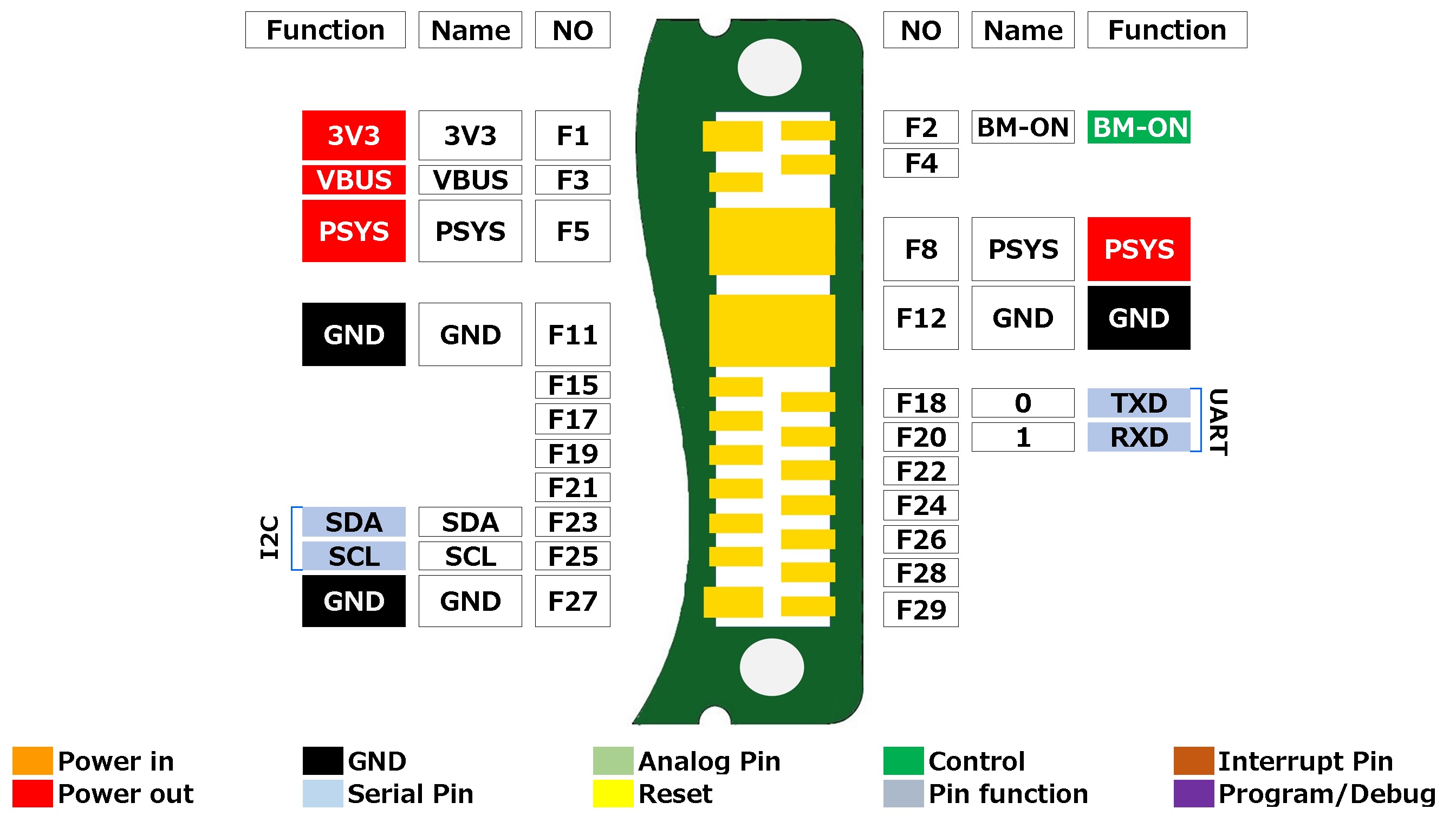
ピン配置のデータは、こちらを参照してください。
Tips
スイッチ、コネクタ、USBについて
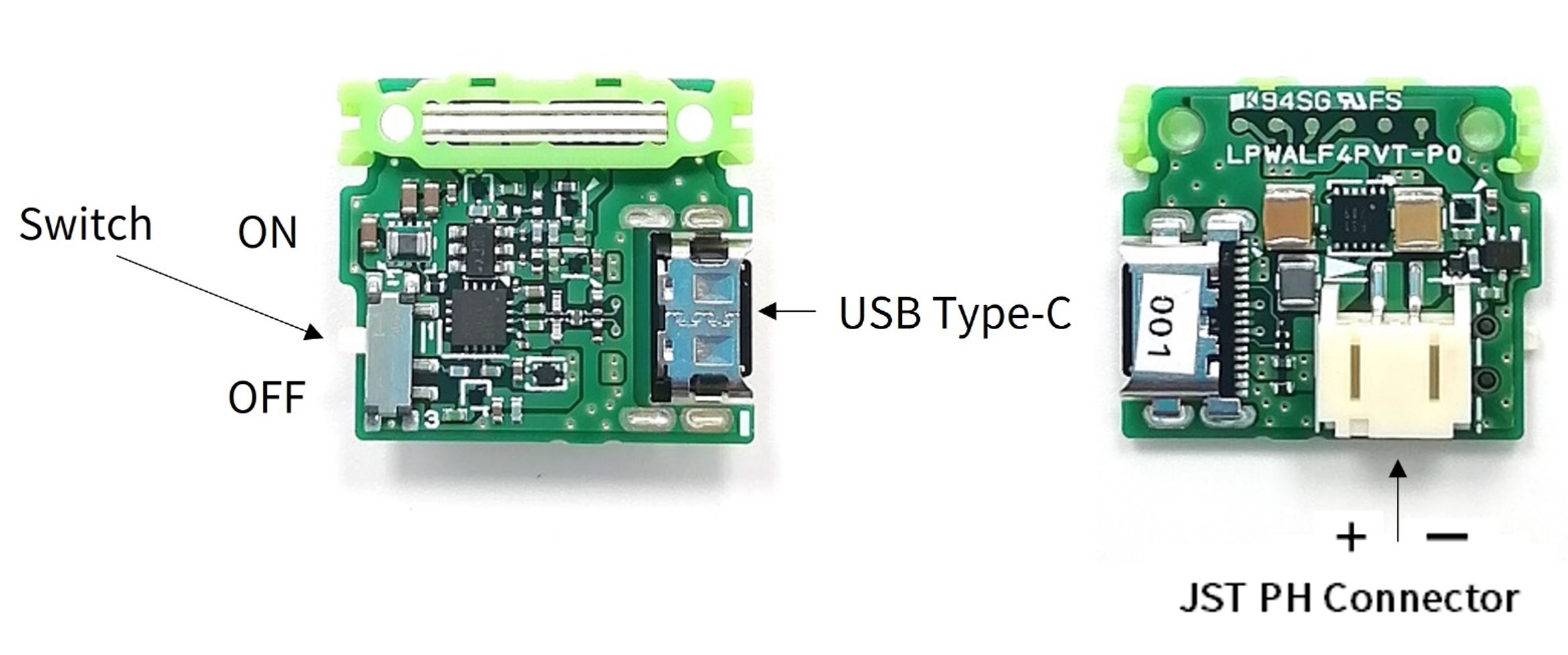
| Item | Description |
|---|---|
| Switch | Switch for turning on and off the 3.3v power |
| Connector | JST PH connector |
| USB | Type-C |
USBドライバインストール
LTE-M king SリーフのUSB-UART変換ICは、調達の都合上、MaxLinear社のIC(XR21B1411IL16-F)を採用しました。以下にXR21B1411IL16-Fのドライバーのインストール方法を記載します。
-
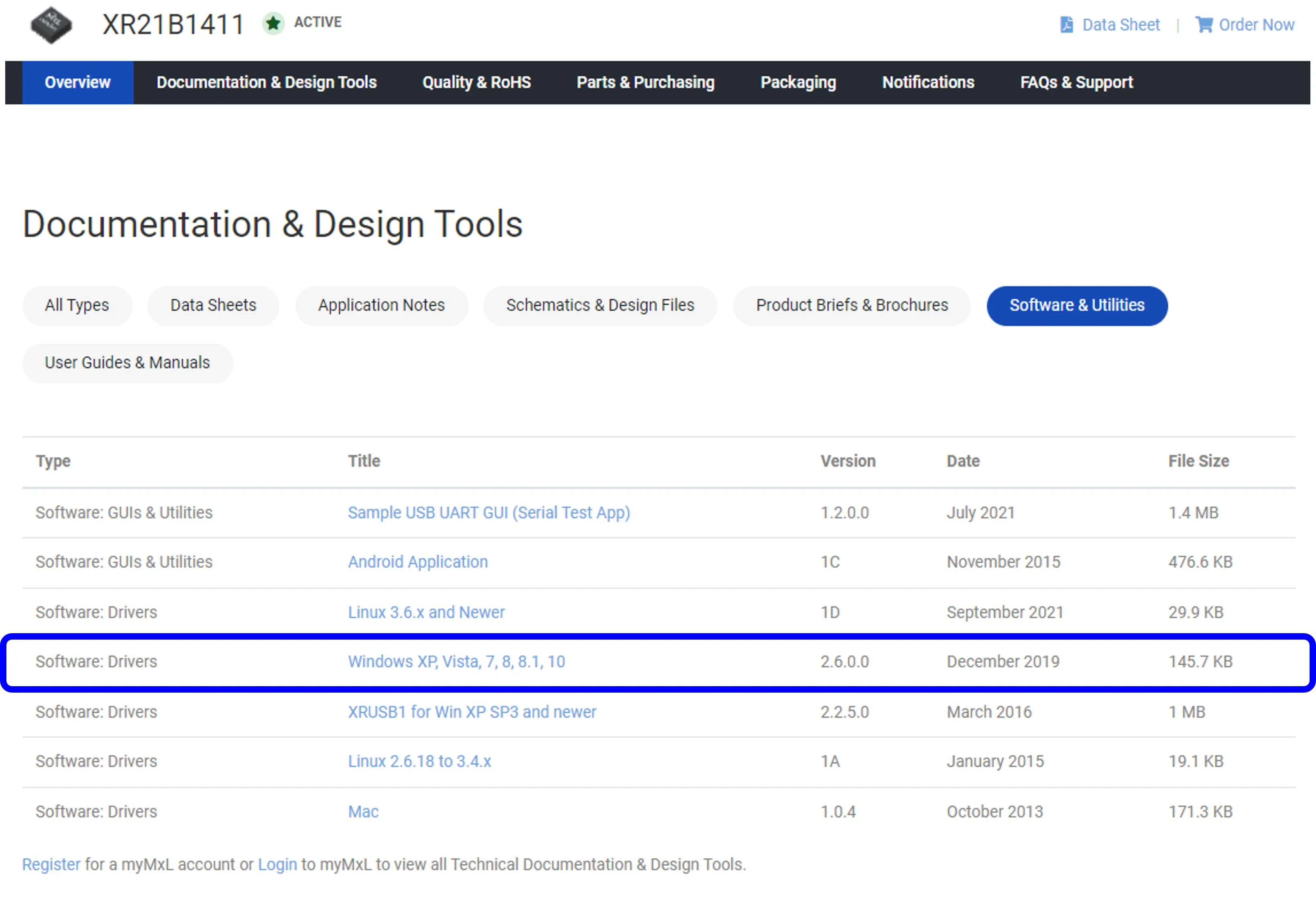
下記からご使用のOS1のにあったドライバーをダウンロードし、解凍してください。Windowsの場合は、解凍すると「V2.6.0.0 Drivers」のフォルダができます。以降、Windowsの場合を説明します。
https://www.maxlinear.com/product/interface/uarts/usb-uarts/xr21b1411
-
LTE-M king SリーフをPCに接続します。
-
スイッチをONにします。
-
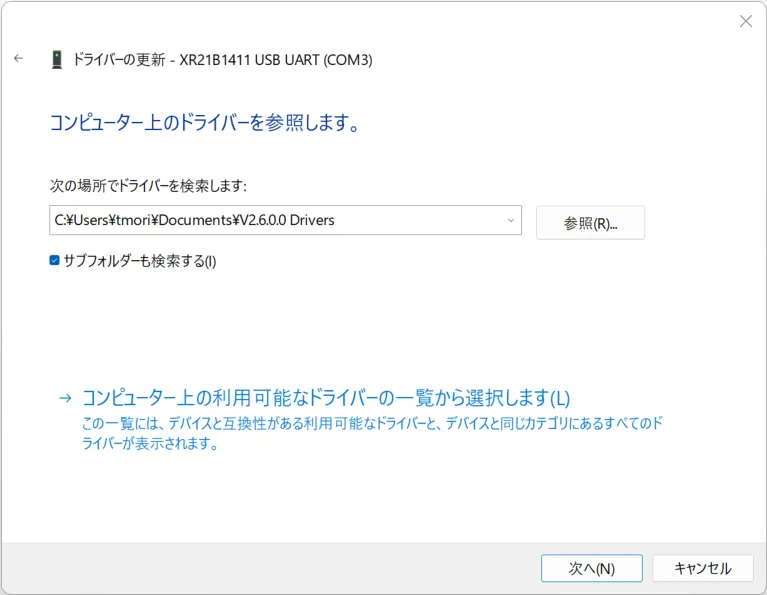
デバイスマネージャを開いて、ポート→USBシリアルデバイスを選択し、ドライバの更新をします。
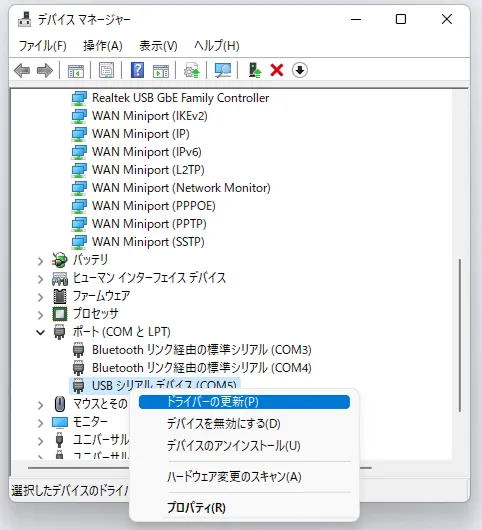
-
先程解凍した「V2.6.0.0 Drivers」のフォルダを参照し、ドライバーをインストールします。
-
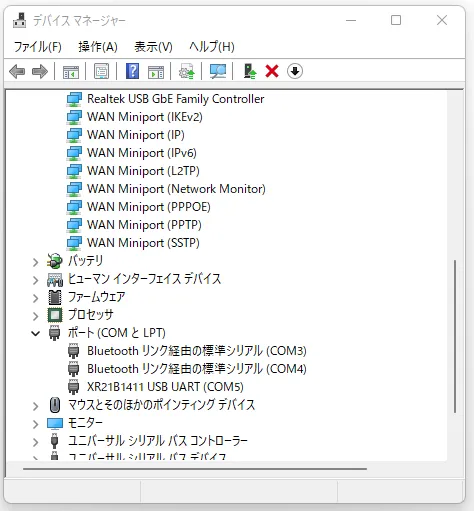
正しく接続できていたら、ポートにXR21B1411 USB UARTが表示されます。
サンプルアプリ
ドキュメント
変更履歴
- 2022年5月:初版
Footnotes
-
2023年6月1日時点では、一部のユーザーからmacOSの動作に関する問題が報告されています。 ↩