
AC08 LTE-M Mary
Use this page with AI
Explore with your favorite AI
 ChatGPT
  Claude
 Gemini & other AI
Copy this page’s context into your AI to explore how it works and what you can build.
 Open Gemini
 Copy the prompt, then paste it into Gemini’s message box.
View prompt
Table of contents
Features
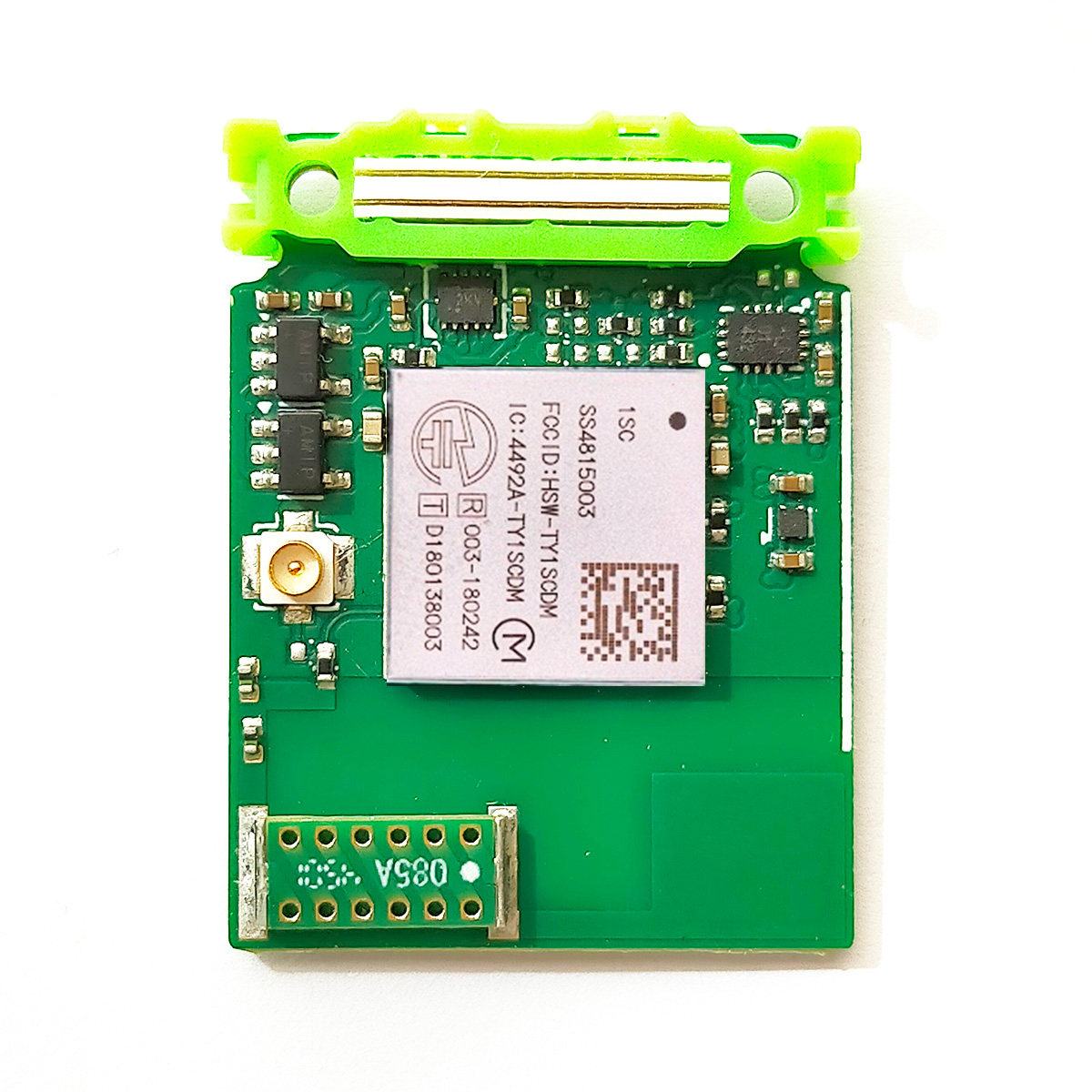
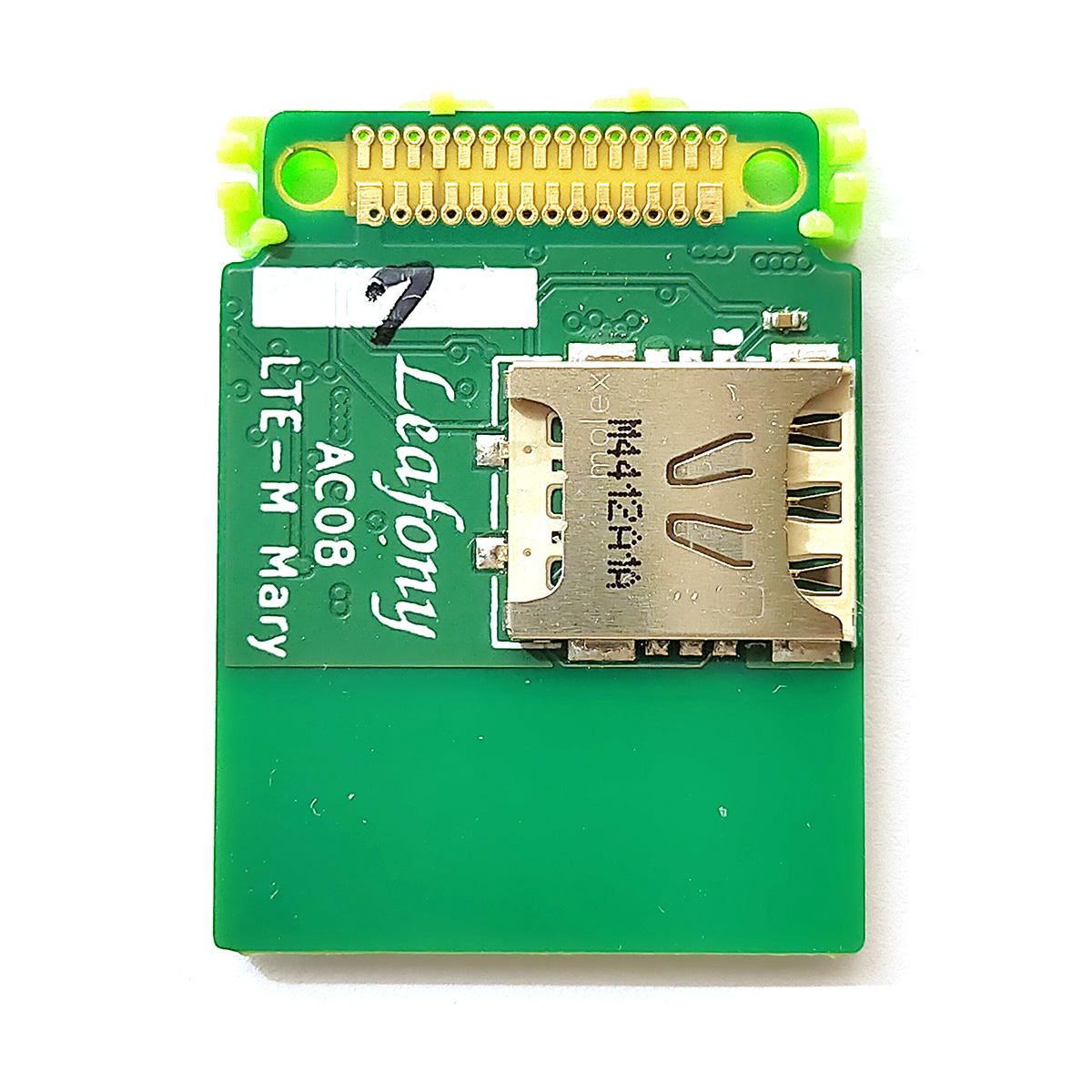
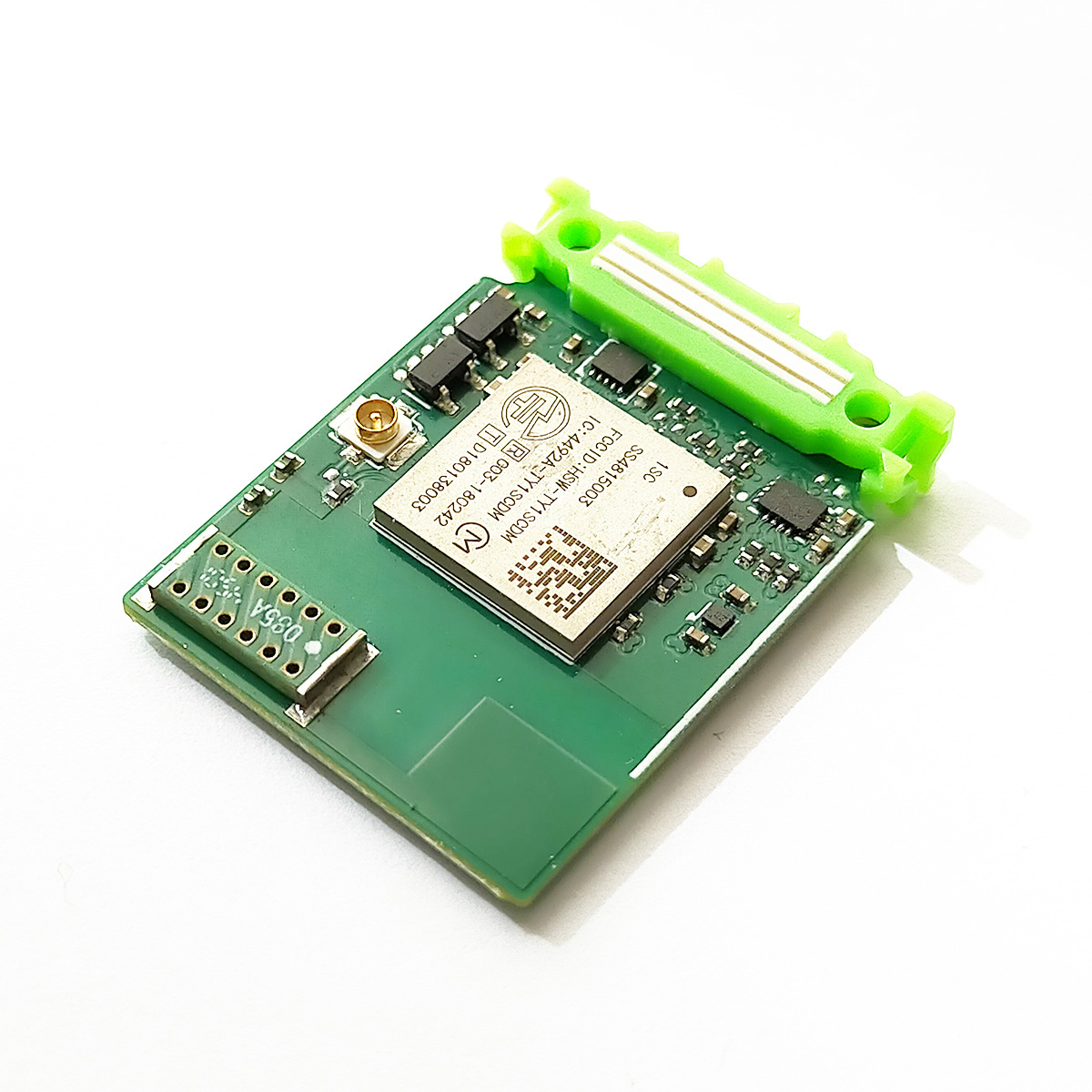
Send and receive data when combined with an MCU (microcontroller) leaf, using Cat-M1, an IoT cellular communication technology that runs on mobile operators’ LTE networks. Add a sensor leaf to send measurements. A compatible SIM card and a communication service contract are required.
This cellular leaf uses a Murata Type 1SC module and a chip antenna (STAF 1019-085A) with Japanese radio equipment construction design certification. It connects to the MCU leaf over UART. A library is available to help you program LTE-M Mary.
Use AV06 1.8V–5.5V, because this leaf has a peak current of 400mA.
Specifications
| Item | Description |
|---|---|
| Cellular module (Cat-M1) | Type 1SC (LBAD0XX1SC-151TEMP) |
| Connectivity | 3GPP Release 13 / optimized for LTE Class 3 output power (+23dBm) |
| Operating voltage | 2.85–4.35V |
| Transmit current at 23dBm | 400mA |
| Antenna | Onboard chip antenna (STAF 1019-085A) |
| SIM card | nanoSIM |
| Interface | UART |
| Baud rate | 115200 bps |
| Dimensions | W23 × D32 × H2mm |
Board layout

The Molex 73412-0110 is compatible with the U.FL RF coaxial connector developed by Hirose Electric.
Antennas
LTE-M Mary has a chip antenna (1019-085A) with Japanese radio equipment construction design certification. For longer-range communication, attach an external antenna.1 The antennas below have this certification. See Murata antenna support (Japanese) for details.
| Model | Supplier | Antenna type | Connector | Dimensions | Note |
|---|---|---|---|---|---|
| 1019-085A2 | STAF Corporation | Monopole (λ/4) | 4 × 9.1 × 1.2mm | Chip antenna | |
| 1018-504B2 | STAF Corporation | Dipole (λ/2) | U.FL | 100 × 13 mm (cable length 140mm) | FPC antenna |
Pin assignment

See the Leafony pin assignment documents for the source data.
Library
For details, see Installing Libraries.
Sample applications
Documents
AT commands
AT commands are standardized by 3GPP, an international organization for cellular communication standards, and let you configure modem operation and connections. Command specifications differ between modems, so consult the manufacturer’s AT command manual. The following procedure uses SORACOM as an example.
What to prepare
- LBAD0XX1SC-DM-EVK-B
- A computer running Windows or macOS
- A standard-size SIM card (for example, SORACOM plan-D)
- APN settings (Japanese):
- APN:
soracom.io - Username:
sora - Password:
sora - PDP type:
IP - Authentication: CHAP or PAP
- APN:
- MCC (Mobile Country Code) and MNC (Mobile Network Code) (Japanese)
| Type | plan-D | plan-KM1 |
|---|---|---|
| MCC | 440 | 440 |
| MNC | 10 | 51 |
AT command basics
AT commands usually start with AT, followed by <command> and, in some cases, <value>. There are four types: Set, Read, Test and Execute.
| Type | Syntax | Example | Description |
|---|---|---|---|
| Set | AT+<command>=<value> | AT+COPS=1,2,<MCCMNC> | Manually connect to a network operator |
| Read | AT+<command>? | AT+COPS? | Check the current network operator |
| Test | AT+<command>=? | AT+COPS=? | Search for available network operators |
| Execute | AT+<x> | AT+CSQ | Check signal strength and connection quality as numeric values |
Before you start
| AT command | Example response | Description |
|---|---|---|
AT+CFUN=1,1 | OK | Reset the modem to its default state |
AT+CPIN? | +CPIN: READYOK | Check the SIM card |
Query device information
| AT command | Example response | Description |
|---|---|---|
AT+CGMM | LBAD0XX1SC-DMOK | Check the modem hardware |
AT+CGMR | RK_03_02_00_00_41841_001OK | Check the modem firmware version |
AT+CIMI | 440103198454299OK | Check the IMSI (International Mobile Subscriber Identity) |
Network operator and cellular technology settings (SORACOM plan-D)
| AT command | Example response | Description |
|---|---|---|
AT+COPS=? | +COPS: (1,"NTT DOCOMO","DOCOMO","44010",7),(0,"KDDI","KDDI","44050",7),(3,"KDDI","KDDI","44052",7),(0,"KDDI","KDDI","44054",7),(0,"KDDI","KDDI","44051",7),(0,"SoftBank","SoftBank","44020",7),,(0-3),(0-2)OK | Search for available network operators |
AT+COPS? | +COPS: 0OK | Check the network connection |
AT+COPS=1,2,44010 | OK | Connect to NTT DOCOMO manually |
AT+COPS=0 | OK | Connect automatically |
AT+COPS? | +COPS: 0,2,"44010",7OK | Check the network connection |
AT+COPS=1,2,44010 | OK | Connect to NTT DOCOMO manually |
Define the cellular band
| AT command | Example response | Description |
|---|---|---|
AT%SETSYSCFG="SW_CFG.catm_band_table.band#1","ENABLE;19" | OK | Set Band 19 in band#1 |
AT%GETSYSCFG="SW_CFG.catm_band_table.band#1" | %GETSYSCFG: "SW_CFG.catm_band_table.band#1","ENABLE;19"OK | Check the band#1 setting (Band 19) |
AT%SETSYSCFG="SW_CFG.catm_band_table.band#1","" | OK | Clear the band#1 setting |
Check radio signal strength and quality
| AT command | Example response | Description |
|---|---|---|
AT+CSQ | +CSQ: 17,99OK | Check signal strength and quality |
Network configuration
| AT command | Example response | Description |
|---|---|---|
AT+CGDCONT=1,"IP","soracom.io" | OK | Connect to SORACOM |
AT+CGDCONT? | +CGDCONT: 1,"IP","soracom.io",10.242.227.27,0,0,0,0,0,,0,,,,OK | Check the APN connection |
AT+CGACT? | +CGACT: 1,0OK | PDP context is inactive |
AT+CGACT=1,1 | OK | Configure the PDP context |
AT+CGACT? | +CGACT: 1,1OK | PDP context is active |
AT+CEREG? | +CEREG: 0,1OK | Registered on the network |
Check the FPLMN
| AT command | Example response | Description |
|---|---|---|
AT+CRSM=176,28539,0,0,12 | +CRSM: 144,0,"FFFFFFFFFFFFFFFFFFFFFFFF"OK |
Clear the FPLMN
| AT command | Example response | Description |
|---|---|---|
AT+CRSM=214,28539,0,0,12,"FFFFFFFFFFFFFFFFFFFFFFFF" | +CRSM: 144,0OK | |
AT+CGPADDR | +CGPADDR: 1,"10.242.227.27"OK |
Revision history
- September 2026: Updated the fitted module part number to 151TEMP and clarified the part number difference between production lots.
- August 2024: Initial version.